
Blog
Discover what appointment scheduling software does in 2026. Automate booking, reduce missed appointments, and streamline scheduling effortlessly.
Appointment scheduling software automates the entire process of booking, managing, and tracking appointments, replacing phone calls, back-and-forth emails, and spreadsheet calendars with a self-service system clients can use any time. At its core, the software displays real-time availability to clients, lets them book or reschedule on their own, and handles confirmations automatically. The result is fewer missed appointments, less administrative work, and a booking experience that feels polished rather than patched together.
Here is what the software actually does, at a glance:
For small business owners, the practical shift is significant. You stop playing phone tag and start spending that time on the work itself.
The short answer: a lot more than display a calendar. Modern scheduling platforms are built around a set of interconnected systems, each solving a specific operational problem.

Clients visit your booking page, see your real-time availability, and pick a slot without any back-and-forth. Availability is calculated dynamically by subtracting existing bookings, buffer times, and blocked periods from your working hours, so what clients see is always accurate, similar to how Salon scheduling software exposes real-time booking slots for clients to directly book beauty treatments. This prevents overbooking and removes the need for you to manually update a shared calendar every time something changes.
Good scheduling software syncs bidirectionally with external calendars. Google Calendar integration, for example, pulls in personal events as unavailable blocks and pushes new bookings out as calendar entries. This means your availability stays accurate even when you block off a personal appointment or a staff member calls in sick.

The software sends booking confirmations, reminders, and follow-up messages automatically via SMS or email. This is one of the most measurable benefits of scheduling software: automated reminders reduce no-show rates by up to 30-50%, which translates directly to fewer empty slots and more predictable revenue.
Most platforms let you collect a deposit or full payment at booking. This is particularly valuable for service businesses where a no-show means lost time and materials. Clients who have paid are far more likely to show up or cancel with enough notice for you to rebook the slot.
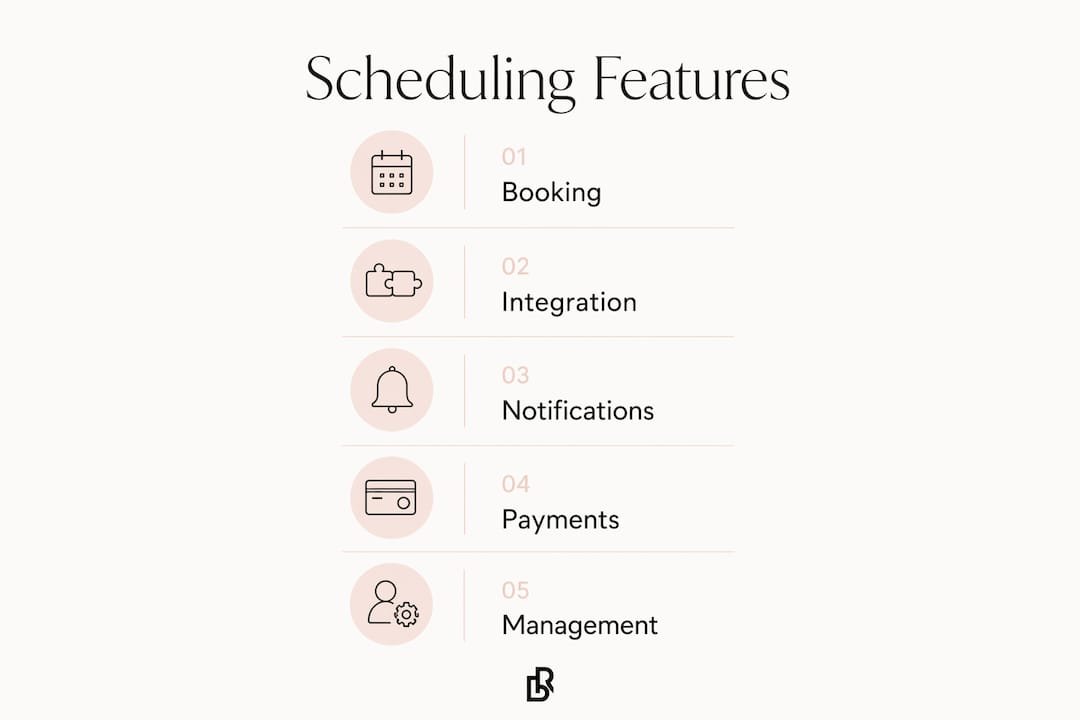
Buffer times between appointments prevent back-to-back bookings from bleeding into each other. You configure them once, and the system enforces them automatically. You can also set minimum notice periods, maximum advance booking windows, and appointment duration rules, all without touching a spreadsheet.
Scheduling systems support recurring booking series with flexible exception handling. A client can book a standing weekly appointment, cancel one occurrence without losing the rest, and the system tracks it all cleanly.
Multi-staff businesses assign services to specific team members, set individual availability, and manage permissions so staff can view their own calendars without accessing sensitive business data. This is where scheduling software starts to feel less like a booking tool and more like an operations platform.
Professional scheduling platforms store all timestamps in UTC and convert to local time zones only at the display layer. This prevents the calendar mismatches that happen when a client in Los Angeles books with a business in New York and both see different times.
Most leading platforms offer iOS and Android apps so you can manage bookings, check your schedule, and respond to cancellations from your phone. For solo operators and small teams, this is often how they interact with the software most of the day.
Scheduling platforms handling client data and payments are expected to meet standards like PCI DSS for payment security and, depending on the industry, HIPAA for health information. Look for platforms that encrypt data in transit and at rest, offer two-factor authentication, and publish a clear data retention policy.
Pro Tip: The best scheduling platforms do not just show open slots. They use scoring algorithms to recommend the most business-preferred times, grouping bookings efficiently and reducing gaps. If a platform just lists every open slot without any logic behind the order, you will end up with a fragmented schedule full of dead time.
The business case for scheduling software is clearest when you look at what it replaces: manual booking, phone-based confirmations, and spreadsheet-based staff scheduling. Each of those processes has a real cost in time, errors, and missed revenue.
Up to 30-50% fewer no-shows. Automated SMS and email reminders are the single most documented benefit of scheduling software, with research from the National Institutes of Health and industry studies confirming significant reductions in missed appointments.
Double bookings are the most obvious problem scheduling software solves. The system uses locking mechanisms to reject conflicting booking requests instantly, so two clients cannot claim the same slot even if they submit requests at the same moment. Without that logic, a busy booking page becomes a source of scheduling errors rather than a solution to them.
High no-show rates are the second major challenge. A client who books three weeks out and receives no reminder is far more likely to forget than one who gets a text the day before and another two hours before the appointment. The reminder system does not require any manual effort once it is configured.
Inefficient time slot allocation is subtler but just as costly. A schedule full of isolated 30-minute gaps between appointments wastes hours across a week. Intelligent scheduling logic, including buffer configuration and slot-grouping algorithms, keeps your calendar dense where it should be and open where you need it.
Eleven platforms dominate the US market for small business scheduling. They vary significantly in depth, pricing, and the type of business they suit best.
| Tool | Best For | Key Features | Pricing | When to Choose |
|---|---|---|---|---|
| Calendly | Sales teams, professionals | Calendar sync, meeting types, team scheduling | Free plan; paid from $, | You need fast, clean meeting booking with minimal setup |
| Acuity Scheduling | Advanced customization, payments | Custom intake forms, packages, payment processing | , | You need highly configurable booking flows and client intake |
| SimplyBook.me | Service businesses with marketing needs | Marketing integrations, memberships, custom features | Free plan; paid from $, | You want booking and marketing tools in one platform |
| Setmore | Small businesses on a budget | Free plan, payments, multi-platform support | Free plan; paid from $, | You need a capable free tier with payment features |
| Square Appointments | POS-integrated businesses | Built-in Square POS, client management, no-show protection | Free for individuals; paid from $, | You already use Square for payments and want booking built in |
| Lunacal | Modern small businesses | Real-time availability, intuitive self-booking, clean UI | Free plan available | You want a US-made tool with a polished client-facing experience |
| Cal.com | Tech-savvy, developer teams | Open source, API access, self-hosting option | Free; paid from $, | You need deep customization or want to self-host |
| Appointy | SMBs wanting marketing + booking | Marketing automation, social booking, staff management | Free plan; paid from $, | You want scheduling tied directly to marketing campaigns |
| Zoho Bookings | Zoho ecosystem users | CRM sync, Zoho suite integration, team scheduling | Free plan; paid from $, | You run your business on Zoho apps and need scheduling to match |
| Brevo Meetings | Professional services, client meetings | Workflow automation, meeting management, CRM integration | Free plan available | You need structured client meeting workflows with automation |
| BookedIn | Freelancers, solo operators | Simple setup, client notifications, basic calendar | , | You want something that works in under an hour with no learning curve |
Calendly is the default choice for professionals who book meetings rather than service appointments. Its interface is clean, setup takes minutes, and its calendar integrations cover Google, Outlook, and iCloud. The limitation is depth: it is not built for multi-service businesses that need intake forms, deposits, or staff-level scheduling.
Acuity Scheduling goes much further on customization. You can build detailed intake forms, sell packages and subscriptions, and configure booking flows that feel specific to your business rather than generic. It is the tool most service businesses outgrow Calendly into.
Square Appointments is the obvious pick if you already process payments through Square. The booking and POS systems share client data natively, so a client’s appointment history and payment history live in the same place. For retail-adjacent service businesses, that integration removes a real operational headache.
SimplyBook.me stands out for its breadth of marketing features. You can connect booking to Instagram, run promotions, and manage memberships, all within the same platform. It suits businesses that want their scheduling tool to also drive client acquisition, not just manage existing bookings.
Cal.com is the outlier in the group. It is open source, which means developers can self-host it, modify the codebase, and build custom integrations that no other platform on this list allows. For a tech team building a product on top of scheduling infrastructure, it is the only real option.
Setmore earns its place for small businesses watching costs. Its free plan includes payment processing and multi-platform support, which most free tiers do not. Appointy takes a similar approach but leans harder into marketing automation, including social media booking and automated follow-up campaigns.
Zoho Bookings is purpose-built for businesses already running on Zoho CRM, Zoho Desk, or other Zoho apps. The scheduling data flows directly into the CRM, so client records stay current without manual entry. Outside the Zoho ecosystem, it offers less reason to choose it over the alternatives.
Lunacal focuses on the client-facing booking experience. Its real-time availability display and self-booking flow are built for clients who expect a modern, frictionless experience, and it is US-made, which matters for businesses that prioritize domestic vendor relationships and support.
Brevo Meetings suits professional services firms that need structured meeting workflows, automated follow-ups, and CRM connectivity. BookedIn is the simplest tool on the list, genuinely quick to set up, and suited to freelancers or solo operators who need basic scheduling without complexity.
The right platform depends on what your business actually needs, not on which tool has the most features. Start with these questions before you evaluate any software.
Check whether the platform connects to the tools you already use: your calendar, your CRM, your email marketing platform, and your payment processor. A scheduling tool that sits in isolation creates more data entry work, not less. Calendar integration architecture matters here: bidirectional sync is the standard you should expect, not a premium add-on.
Automation depth varies significantly between platforms. Some send a single reminder; others support multi-step sequences with follow-ups, rebooking prompts, and review requests. For businesses where client retention is the main revenue driver, that difference in automation capability compounds over time.
A booking page that looks like a therapist’s intake form will lose clients before they confirm. Test the client-facing experience yourself: how many clicks does it take to book? Is the mobile experience clean? Does the confirmation email look professional? The software you choose represents your brand every time a client interacts with it.
On the business side, consider how long it takes to configure a new service, block off time, or pull a report. Platforms with steep learning curves tend to get underused, which defeats the purpose.
Most platforms offer free tiers, but those tiers often cap the number of bookings, staff members, or features in ways that force an upgrade quickly. Map your actual booking volume and staff count against each pricing tier before assuming the free plan will work long-term. Labor cost alignment is also worth factoring in: a platform that helps you schedule staff more efficiently can pay for itself in reduced overtime costs alone.
For businesses handling health information, HIPAA compliance is a legal requirement, not a preference. For any business collecting payments, PCI DSS compliance is the baseline. Ask vendors directly about their compliance certifications, data encryption standards, and breach notification policies. A platform that cannot answer these questions clearly is a risk.
Pro Tip: Intelligent scheduling algorithms that score and recommend optimal booking times can reduce idle staff hours meaningfully. If you are paying hourly staff, a platform that groups bookings efficiently rather than scattering them across the day is worth the extra cost over a basic calendar display.
Most general scheduling platforms were designed for meeting rooms and sales calls. They work, but they were not built with a lash studio or nail salon in mind. The booking page looks generic, the deposit flow is an afterthought, and the client experience feels like a form rather than a first impression.
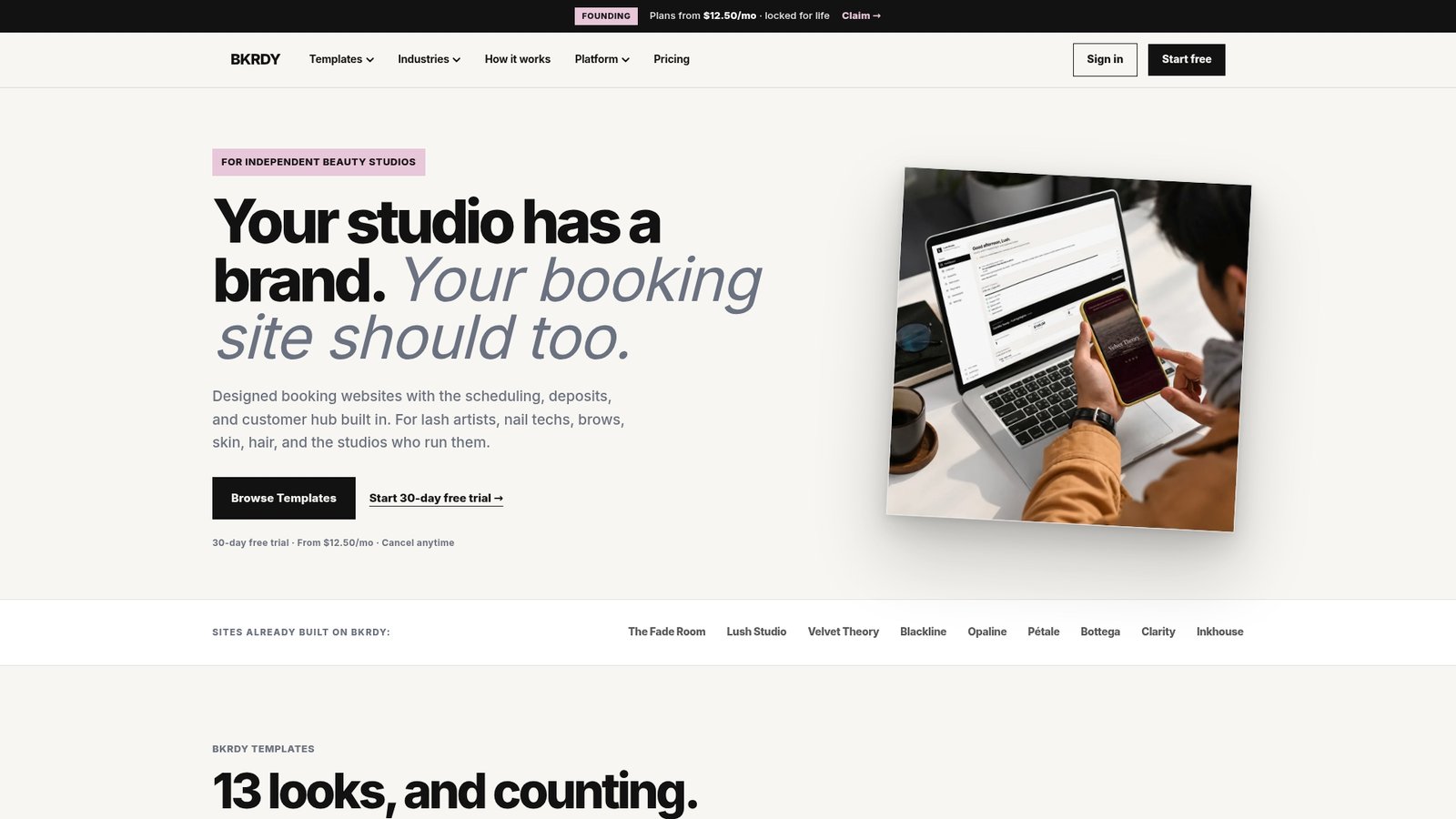
Bkrdy takes a different approach. It builds complete booking websites for independent beauty studios, lash artists, nail technicians, and hairstylists, not just a scheduling widget dropped onto a blank page. The design is warm, editorial, and brand-led, the kind of first impression that makes a new client feel confident before they have even walked through the door.
The platform includes built-in scheduling, deposit handling through Stripe, automatic reminders, and a smart waitlist that fills canceled slots without you lifting a finger. Client history is tracked per profile, so you always know what a returning client had last time. For beauty professionals who want their online booking to reflect the quality of their work, Bkrdy is worth a close look.
Key advantages for beauty studios:
If you run a spa, Bkrdy’s spa booking websites are worth exploring specifically. The platform is built around the reality of how beauty businesses actually operate, which is a different starting point than most scheduling tools on this list.
Appointment scheduling software replaces manual booking processes with automated, self-service systems that reduce no-shows, save time, and give clients a better experience from the first interaction.
| Point | Details |
|---|---|
| Core function | Scheduling software automates booking, reminders, and calendar management so businesses stop managing appointments manually. |
| No-show reduction | Automated reminders can reduce no-show rates by up to 30-50%, protecting revenue and keeping your calendar full. |
| Choosing the right tool | Match the platform to your appointment type, staff size, payment needs, and client experience expectations before committing. |
| Integration matters | Bidirectional calendar sync, CRM connectivity, and payment processing are the integrations that create real operational value. |
| Bkrdy for beauty pros | Bkrdy offers boutique-designed booking websites built specifically for beauty studios, with built-in deposits, reminders, and client history tracking. |
BKRDY
Pick a template, take deposits, and let clients book on your own branded site. 30-day free trial.
Start your 30-day trial