
Blog
Discover how lash appointment intake forms online enhance client safety and streamline your lash service. Elevate your studio's professionalism today!
Lash appointment intake forms online are digital documents that collect a client’s health history, known allergies, consent, and service preferences before a lash appointment begins. They are the industry-standard first step in any professional lash onboarding process, replacing paper clipboards with a faster, more legally sound alternative. A well-built digital intake form protects your studio, informs your technique, and signals to new clients that you run a serious operation. For lash artists managing a full book, getting this right is not optional.
The fields on your lash service registration form determine how safely and effectively you can serve each client. Generic forms miss critical details. A purpose-built lash intake form covers six core categories.
Eye health status is the starting point. Conditions like blepharitis, chronic dry eyes, and active styes are contraindications for lash extension services. Applying extensions over an active infection risks spreading bacteria and can cause serious harm. Ask clients to disclose any current or recurring eye conditions before you book them in.

Allergy disclosure is non-negotiable. The three allergens most relevant to lash work are cyanoacrylate (the base compound in most lash adhesives), latex, and formaldehyde, which appears as a trace byproduct in some adhesive formulas. Key allergy fields include all three, and your form should prompt clients to list any other known sensitivities as well.
Contact lens usage matters more than most lash artists realize. Clients who wear contacts should remove them before a lash appointment. Adhesive fumes can irritate the eyes, and contacts trap those fumes against the cornea. Your form should ask whether the client wears contacts and remind them to bring their lens case.
Medications affect lash retention in ways clients rarely anticipate. Thyroid medications and glaucoma eye drops both alter the natural lash growth cycle and oil production around the follicle. Clients on these medications often experience shorter retention times. Capturing this information upfront lets you set accurate expectations and adjust your aftercare advice.
Lash service history tells you what has and has not worked for this client before. Ask about previous extension styles, any prior reactions, and how long their last set lasted. This data shapes your consultation before the client even sits in your chair.
Consent and acknowledgment close out the form. Clients must confirm they understand the procedure, the risks, and the aftercare requirements. Consent forms must collect acknowledgment of aftercare instructions alongside the procedure consent itself. For clients under 18, a parent or legal guardian signature is legally required. Parental consent for minors is one of the most frequently overlooked details in generic templates, and omitting it exposes your studio to real liability.
Pro Tip: Add a short free-text field at the end of your form asking, “Is there anything else we should know before your appointment?” Clients often disclose relevant details there that structured fields miss.
The right platform for your online lash intake forms depends on three things: how the form integrates with your booking flow, how secure it is, and how easy it is for clients to complete on a phone. Most clients book beauty services on mobile, and mobile-friendly form design directly affects how many clients actually complete the form before they arrive.
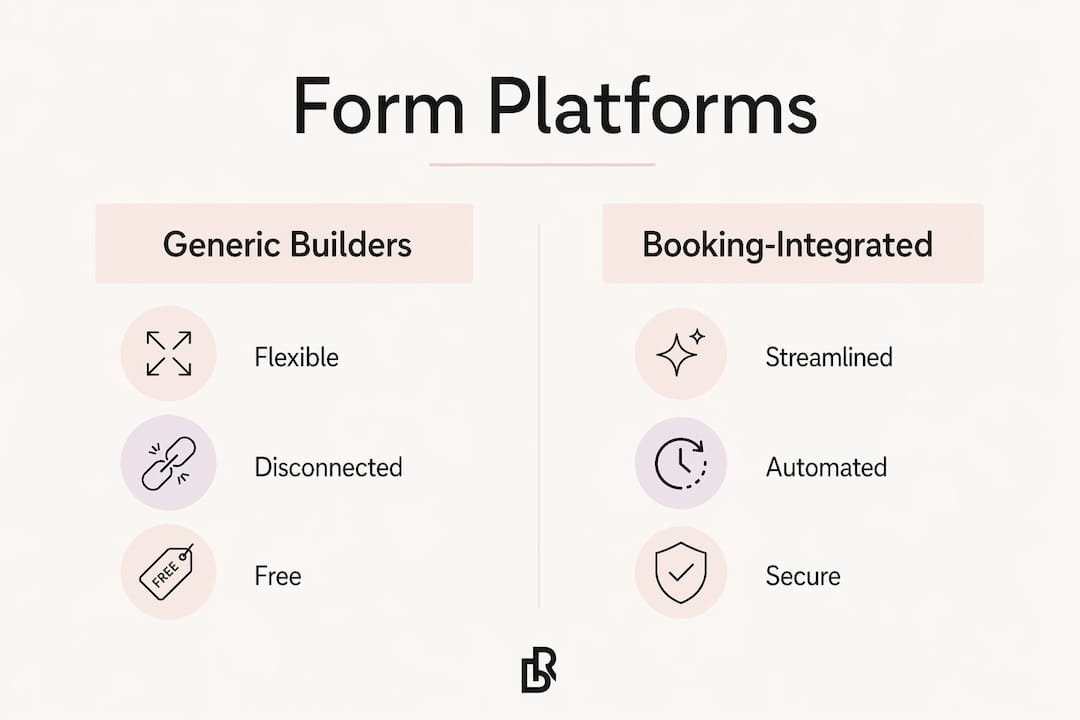
Generic form builders like Google Forms or Typeform give you flexibility, but they create a disconnected experience. A client books through one system, then receives a separate link to a form on a different platform. That friction reduces completion rates. Booking-integrated solutions embed the intake form directly into the appointment confirmation flow, so the client completes it as part of booking. Embedding intake forms on booking sites with data synchronization improves both accuracy and appointment readiness.
| Feature | Why it matters |
|---|---|
| Mobile responsiveness | Clients booking on phones need forms that load and submit without errors |
| Timestamp and IP logging | Digital records with timestamps are legally stronger than paper signatures |
| Data encryption | Client health information requires secure storage |
| Booking system integration | Synced data removes manual re-entry and reduces errors |
| Automated delivery | Forms sent automatically at booking require no manual follow-up |
Digital forms with timestamps and IP logging are significantly more defensible in a dispute than a handwritten signature on paper. Paper forms can be lost, altered, or undated. A digital record with a logged submission time and client IP address is a concrete audit trail.
Pro Tip: Choose a platform that stores completed intake forms against the client’s profile, not just as a one-time submission. That history becomes valuable when a returning client’s health situation changes.
A well-designed form that clients never complete is useless. The implementation matters as much as the content.
Send the form at the moment of booking. The highest completion rates come when the form link appears in the booking confirmation message. The client is already engaged and expecting next steps. Waiting until a reminder message the day before gives clients less time and less motivation to complete it.
Embed the form on your booking website. A form that lives on your booking page, rather than a third-party link, feels like part of the same experience. Clients trust it more and complete it faster. Platforms built for lash artists, like those offered by Bkrdy, are designed with this embedded flow in mind.
Sync intake data with client profiles. Manual data entry from a form into a separate system is a time drain and an error risk. Your form platform should write responses directly to the client’s appointment record. That way, you see the intake data when you open the appointment, without hunting through a separate inbox.
Set an automated reminder for incomplete forms. If a client books but does not submit the form within 24 hours, an automated follow-up message should prompt them to complete it. Sending intake forms digitally before the appointment saves 10-15 minutes per session and gives clients time to read the form carefully at home rather than rushing through it in your studio.
Flag incomplete forms before the appointment day. Build a check into your workflow: review your appointment list 48 hours out and confirm that every client has a completed form on file. For clients who have not submitted, a personal message works better than another automated nudge.
Store completed forms against the client’s profile. Every returning client should have their intake history accessible in one place. When a client’s medication changes or they develop a new allergy, you need to update the record, not start from scratch.
Even a well-built digital form system runs into friction. Knowing the common failure points lets you fix them before they cost you time or create legal exposure.
Clients worry about data privacy. Many clients hesitate to enter health information into an online form because they are unsure who sees it or how it is stored. Addressing client privacy concerns proactively with a clear, plain-language privacy statement on the form page reduces drop-off significantly. A one-sentence explanation of how you store and use their data goes a long way.
Incomplete or vague responses. Clients skip fields or write “N/A” without reading the question. Required fields solve part of this problem, but they also frustrate clients who genuinely have nothing to report. The better fix is clear field labels with brief explanations. Instead of “Medications,” write “List any medications you currently take, including eye drops or thyroid medication.”
Device and access issues. Some clients, particularly older ones, struggle with forms that require account creation or app downloads. Keep your form accessible via a direct link with no login required. Test it on both iOS and Android before you launch.
Missing guardian consent for minor clients. This is the most legally serious gap in most lash intake systems. If you serve clients under 18, your form must include a dedicated guardian consent section, and you must verify that the signature belongs to an adult.
“The intake form is your first line of legal protection. A missing guardian signature or an unchecked allergy field is not a paperwork error. It is a liability gap that a digital system, built correctly, closes automatically.”
A lash studio’s intake form is its strongest legal and operational tool when it is built correctly, delivered digitally, and integrated directly into the booking flow.
| Point | Details |
|---|---|
| Capture six core fields | Eye health, allergies, contacts, medications, lash history, and signed consent are all required. |
| Use digital over paper | Timestamps and IP logging make digital forms legally stronger than handwritten signatures. |
| Embed forms in the booking flow | Forms sent at the moment of booking get the highest completion rates. |
| Guard against minor consent gaps | Always include a guardian signature section for clients under 18 to avoid liability. |
| Match your platform to mobile | Most clients book on phones, so your form must work flawlessly on mobile devices. |
The intake form is treated like a formality in most studios. It sits at the end of the booking process, gets filled out in the chair, and rarely gets reviewed before the appointment starts. That is the wrong approach, and I have seen it create real problems.
The form is actually your consultation before the consultation. When a client discloses thyroid medication on the form, you can prepare a retention conversation before they sit down. When they flag a prior reaction to adhesive, you can switch to a sensitive formula before they arrive. The form does not just protect you legally. It makes you a better technician.
The legal protection piece is real, though. Digital consent records with timestamps are the kind of documentation that matters if a client ever disputes a reaction or claims they were not informed of risks. Paper forms in a binder do not carry the same weight.
The future of client onboarding in lash studios is a single flow: book, pay deposit, complete intake form, receive confirmation. No separate links, no paper on arrival, no manual data entry. Studios that build that flow now will retain clients at a higher rate because the experience feels professional from the first interaction.
, Luis
Lash artists who want their intake process to feel like part of their brand, not an afterthought, need a booking site built for that purpose.
Bkrdy builds booking websites for lash artists that include client profile management, automated appointment reminders, and deposit handling through Stripe. The platform is designed so that client intake data lives alongside the appointment record, not in a separate system. Bkrdy also handles automated client reminders so incomplete forms get flagged before the appointment day, without any manual follow-up on your end. If you are ready to move your lash studio off generic booking links and onto a site that reflects your work, Bkrdy is built for exactly that.
A complete lash intake form must include eye health status, known allergies (especially cyanoacrylate, latex, and formaldehyde), contact lens usage, current medications, prior lash service history, and signed client consent. Guardian consent is also required for clients under 18.
Digital intake forms are legally valid and generally stronger than paper forms. They carry timestamps and IP address records that create a verifiable audit trail, making them more defensible in a dispute than a handwritten signature.
Send the form link inside the booking confirmation message, when client engagement is highest. Set an automated follow-up for clients who have not submitted within 24 hours, and review your appointment list 48 hours out to catch any remaining gaps.
Yes. Any client under 18 requires a parent or legal guardian signature on the intake and consent form. Generic templates frequently omit this section, which creates direct liability for the practitioner.
Most beauty clients book and complete forms on smartphones. A form that does not load correctly on mobile or requires excessive scrolling and typing will see significantly lower submission rates before the appointment.
BKRDY
Pick a template, take deposits, and let clients book on your own branded site. 30-day free trial.
Start your 30-day trial