
Blog
Unlock your studio's potential with a beauty studio online booking setup. Reduce no-shows and streamline client appointments effortlessly!
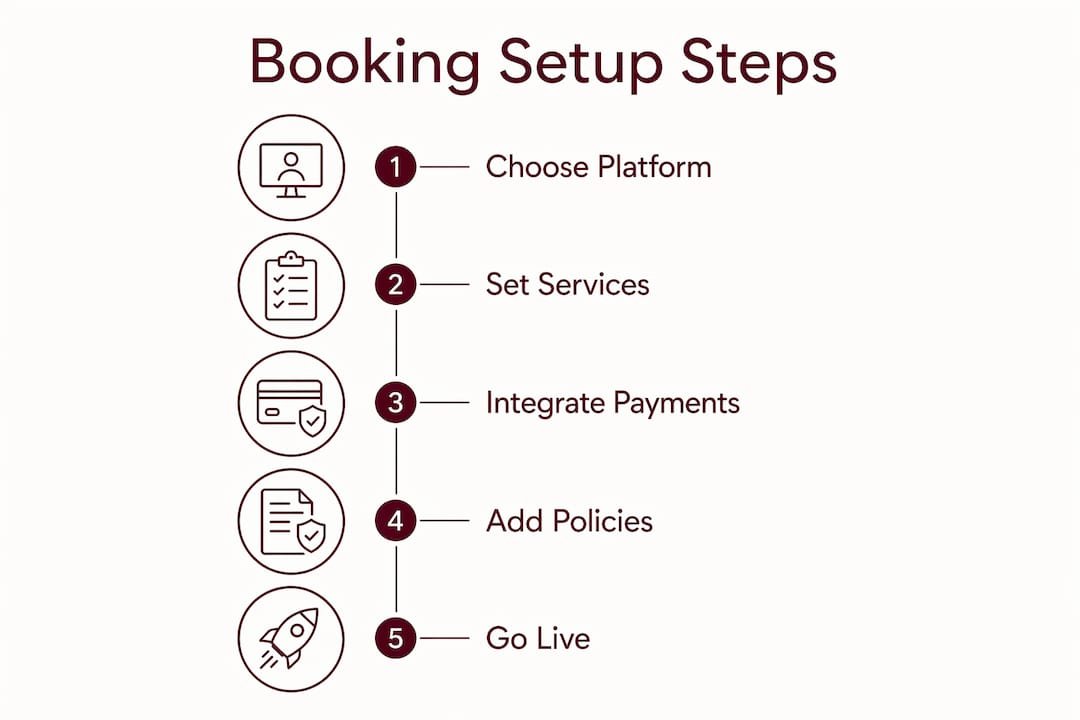
A beauty studio online booking setup is the process of configuring an integrated digital system that lets clients schedule appointments, pay deposits, and manage reservations without calling or texting you directly. Done right, it removes the back-and-forth from your day and replaces it with a calendar that fills itself. Independent studio owners who get this right report fewer no-shows, faster payments, and clients who feel more confident booking before they even walk through the door. This guide covers the tools you need, how to connect payments, how to set up your Google Business Profile, and how to keep clients showing up.
The foundation of any appointment scheduling system for a beauty studio is three things: a booking platform, a payment processor, and a public-facing page where clients land. Without all three working together, you end up with gaps. A booking platform that cannot take deposits is just a calendar. A payment processor with no booking flow is just a checkout page.
Booking platform options vary widely by feature depth. Acuity Scheduling is the recommended integrated booking tool for Squarespace-based studio sites, supporting full appointment management embedded directly via scheduling blocks. For studios not on Squarespace, purpose-built platforms designed for beauty professionals handle multi-stylist scheduling, service menus, and client history in one place. Bkrdy builds booking websites specifically for lash artists, nail technicians, and hairstylists, with scheduling built in from the start.
Prerequisites before you go live:
Pro Tip: Set your service durations 10 minutes longer than you think you need. Clients who run late will thank you, and you will avoid the domino effect of a backed-up calendar.
Squarespace’s salon guide also recommends adding contact forms and direct email or phone links alongside your booking widget. Some clients are not ready to book online immediately. Giving them a low-friction way to ask a question first increases the chance they convert later.
| Setup Element | Purpose |
|---|---|
| Booking platform | Manages calendar, services, and client records |
| Payment processor | Collects deposits or full payments at booking |
| Booking landing page | Converts visitors into confirmed appointments |
| Google Business Profile | Captures search and maps traffic |
| Reminder system | Reduces no-shows automatically |
Connecting your booking platform to a payment processor is where most studio owners either get it right or create problems for themselves later. The goal is a single, uninterrupted flow: client picks a service, picks a time, pays, and receives a confirmation. Any break in that chain increases abandonment.
Stripe’s booking workflow processes card payments instantly, updates booking status automatically, and handles refunds without manual intervention. That automation matters because it means your calendar reflects real, paid appointments rather than tentative holds. Bkrdy uses Stripe for deposit handling, which means studio owners get the same reliability without building a custom integration.
Steps to connect booking and payments:
Stripe also supports Apple Pay and Google Pay, which expands payment options for clients booking beauty studio services on mobile. Mobile booking is where most of your traffic comes from, so accepting digital wallets removes friction at the most critical moment.
Pro Tip: Display your deposit policy on the booking page itself, not just in the confirmation email. Clients who see it before they pay are far less likely to dispute charges later.
Stripe’s APIs and integrations update automatically to stay compliant with payment regulations, which means you do not need to monitor industry changes yourself. That is a real operational advantage for a solo studio owner.
Your Google Business Profile is often the first place a new client encounters your studio. Getting the booking link right on that profile is one of the highest-leverage moves in your entire setup.
Google Business Profile’s appointment link feature lets appointment-based businesses add a direct booking button visible on both Google Search and Google Maps. The setup takes minutes. The payoff is that clients can book without ever visiting your website.
Steps to add a booking link to your Google Business Profile:
The URL you paste matters more than most studio owners realize. Each extra click after arriving from Google reduces conversion. A client who lands on your homepage still has to find the booking button. A client who lands directly on a booking form is one step from confirming an appointment.
What to avoid:
For lash artists and nail technicians especially, Google Maps is a primary discovery channel. A clean booking link on your profile turns that discovery into a confirmed appointment the same day.
No-shows are the single most expensive problem for independent beauty studios. A missed appointment is not just lost revenue. It is a time slot you cannot recover and a chair that sat empty.
Two-way reminders are the most effective tool against no-shows. Koalendar’s research recommends sending email reminders 24 hours before an appointment and SMS reminders 2 hours before, with a link to the cancellation policy included in both. That timing gives clients enough notice to reschedule if needed, while the SMS catches last-minute conflicts.
Reminder and confirmation best practices:
Clients who can respond to reminders directly, to confirm or reschedule without calling, reduce your administrative workload and increase their own commitment to the appointment. Two-way communication turns a passive reminder into an active confirmation.
“The deposit is not about the money. It is about the commitment. A client who has paid $30 toward a $90 service is far more likely to show up than one who booked for free.”
Deposit policies work because they create skin in the game. A studio that collects a deposit at booking and enforces a clear no-show policy will see attendance improve within the first month. Pair that with automatic reminders and you have covered the two biggest drivers of missed appointments.
Pro Tip: Add your no-show policy as a checkbox clients must tick during booking, not just in the confirmation email. That single step significantly reduces disputes when you enforce it.
A beauty studio online booking setup works when booking, payment, and client communication are connected in one uninterrupted flow.
| Point | Details |
|---|---|
| Connect booking and payments | Link your platform to Stripe before going live to automate deposits and refunds. |
| Use a dedicated booking page | Send Google and social traffic directly to a booking form, not your homepage. |
| Set deposit policies upfront | Display your deposit and cancellation rules on the booking page itself. |
| Automate reminders | Send email at 24 hours and SMS at 2 hours before each appointment. |
| Optimize your Google profile | Add a direct booking URL to your Google Business Profile to capture search traffic. |
After reviewing how dozens of independent beauty studios approach their online setup, the pattern is consistent. The studios that struggle are not using bad tools. They are using good tools badly. A booking platform with no deposit requirement is just an invitation for no-shows. A Google Business Profile with a homepage link instead of a booking URL is a leaky funnel.
The most common mistake I see is treating the booking page as an afterthought. Studio owners spend hours on their Instagram feed and five minutes on the page where clients actually convert. Your booking page is not a formality. It is your front desk. If it looks like a therapist’s intake form with twelve required fields, clients will abandon it before they finish.
The second mistake is underestimating the value of two-way reminders. Most studio owners set up a one-way confirmation email and call it done. The research is clear: SMS reminders sent two hours before an appointment, with a direct link to reschedule, move the needle on attendance in a way that email alone does not.
My honest advice is to pick a platform built for beauty professionals rather than a generic scheduling tool you have adapted. The difference shows up in the details: service-specific intake forms, deposit flows that match how beauty pricing works, and client history that helps you personalize the next visit. Bkrdy is built around exactly that logic, and it shows in how quickly studios can go from zero to a live, branded booking page.
, Luis
Independent studio owners who want a booking site that reflects their brand without building one from scratch have a direct option.
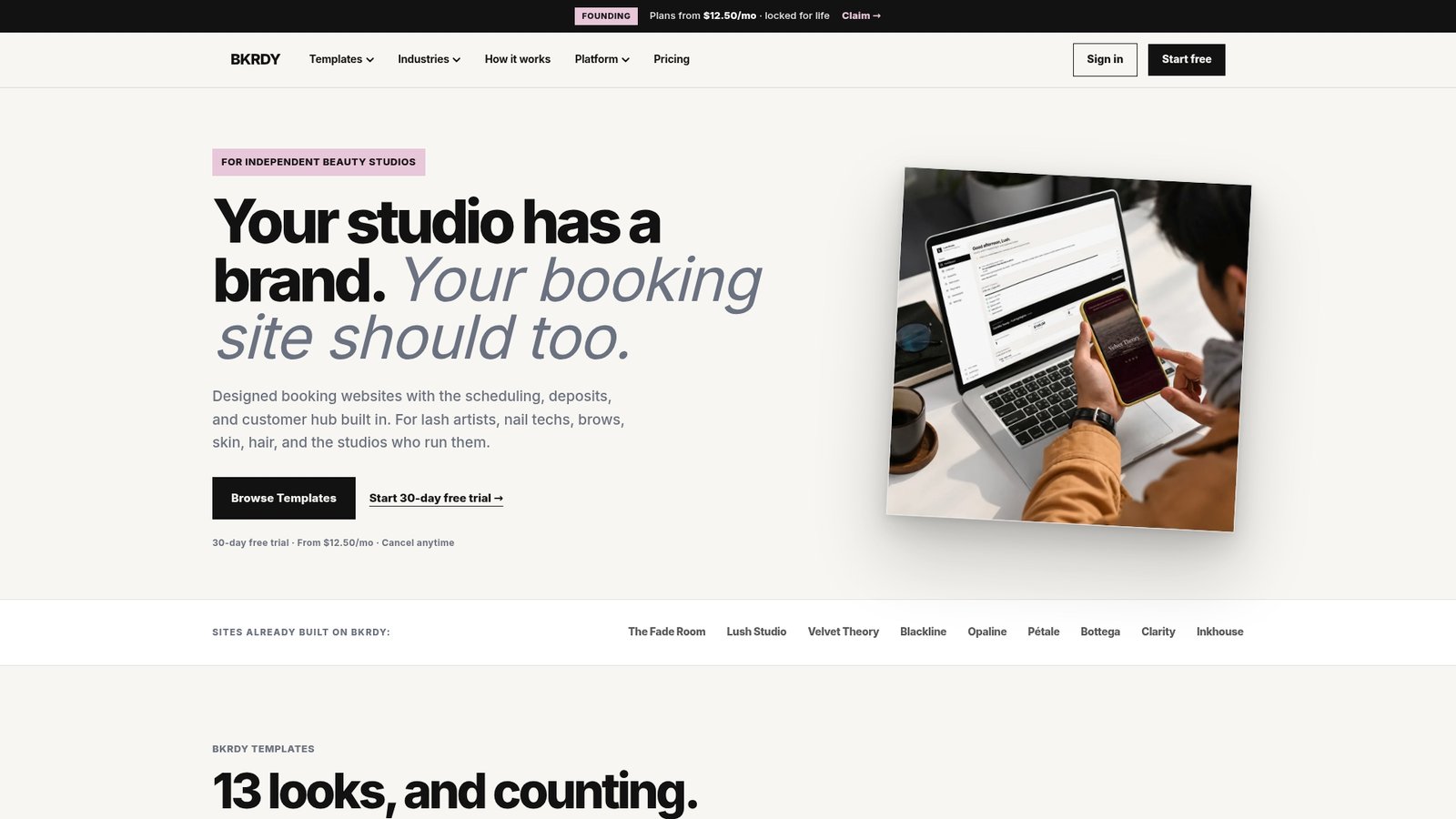
Bkrdy builds custom booking websites for hair salons, lash artists, nail technicians, estheticians, and spas. Each site includes built-in scheduling, Stripe deposit handling, automatic reminders, and a smart waitlist. Setup does not require design experience or a developer. If you are a nail technician or an esthetician looking for a booking site that works out of the box, Bkrdy’s platform features cover everything this guide recommends, in one place.
A beauty studio online booking setup is a configured digital system that lets clients schedule appointments, pay deposits, and receive confirmations without contacting the studio directly. It typically combines a booking platform, a payment processor like Stripe, and a public booking page.
Sign in to your Google Business Profile, go to “Edit profile,” and paste your booking page URL in the appointment links field. Link directly to a booking form, not your homepage, to maximize conversion.
Send an email reminder 24 hours before and an SMS reminder 2 hours before, both with a link to confirm or reschedule. Collecting a deposit at booking also significantly increases client commitment and attendance.
Stripe is the most widely integrated payment processor for beauty booking platforms and supports Apple Pay, Google Pay, and card payments. Most purpose-built booking platforms, including Bkrdy, use Stripe for deposit and payment handling.
A basic setup with a booking page, payment connection, and Google Business Profile link can be completed in a single day. Platforms built specifically for beauty studios, like Bkrdy, reduce that timeline further by providing pre-configured templates and built-in integrations.
BKRDY
Pick a template, take deposits, and let clients book on your own branded site. 30-day free trial.
Start your 30-day trial