Blog
Discover how to automate client appointment reminders and reduce no-shows by up to 50%. Boost your beauty business efficiency today!
Automated appointment reminders are defined as scheduled, rule-based messages sent to clients before their bookings without any manual staff action. For independent beauty professionals, the ability to automate client appointment reminders is one of the highest-return changes you can make to your business. No-show rates drop by 30%-50% when reminders run automatically. That single shift protects a meaningful slice of revenue that would otherwise walk out the door before it ever arrived.
Three core components make appointment reminder automation work: a digital calendar, a two-way messaging channel, and a rule-based trigger system. Remove any one of them and you have a notification tool, not a true automation. A dual-layer approach combining calendar-syncing with standardized reminder rules produces the most reliable results for independent professionals.
Digital calendar integration is the foundation. Your booking system must write appointments directly to a calendar that your reminder tool can read. Without live calendar access, the automation cannot know when to fire a message or when a slot opens up after a cancellation.
Two-way messaging means clients can reply to your reminders and the system acts on those replies. SMS is the most effective channel for this because open rates far exceed email. The reply does not go to your phone. It goes back into the system, which updates the calendar in real time.
Rule-based triggers are the logic layer. You define the rules once: send message A at 72 hours out, send message B at 24 hours out, and if the client replies “cancel,” fire the waitlist sequence immediately. The system runs those rules without you touching anything.
| Feature category | What to look for | Why it matters |
|---|---|---|
| Calendar sync | Live, two-directional sync | Keeps reminders accurate when bookings change |
| Two-way SMS/email | Reply parsing and auto-response | Handles confirmations and cancellations without staff |
| Scheduling rules | Customizable trigger timing | Lets you set the exact sequence that fits your workflow |
| Waitlist management | Auto-outreach on cancellation | Fills gaps immediately rather than leaving slots empty |
| Personalization tokens | Client name, service, time | Makes messages feel personal, not robotic |
Bkrdy builds all five of these categories into its booking platform for beauty studios, so you are not stitching together separate tools to get a working system.
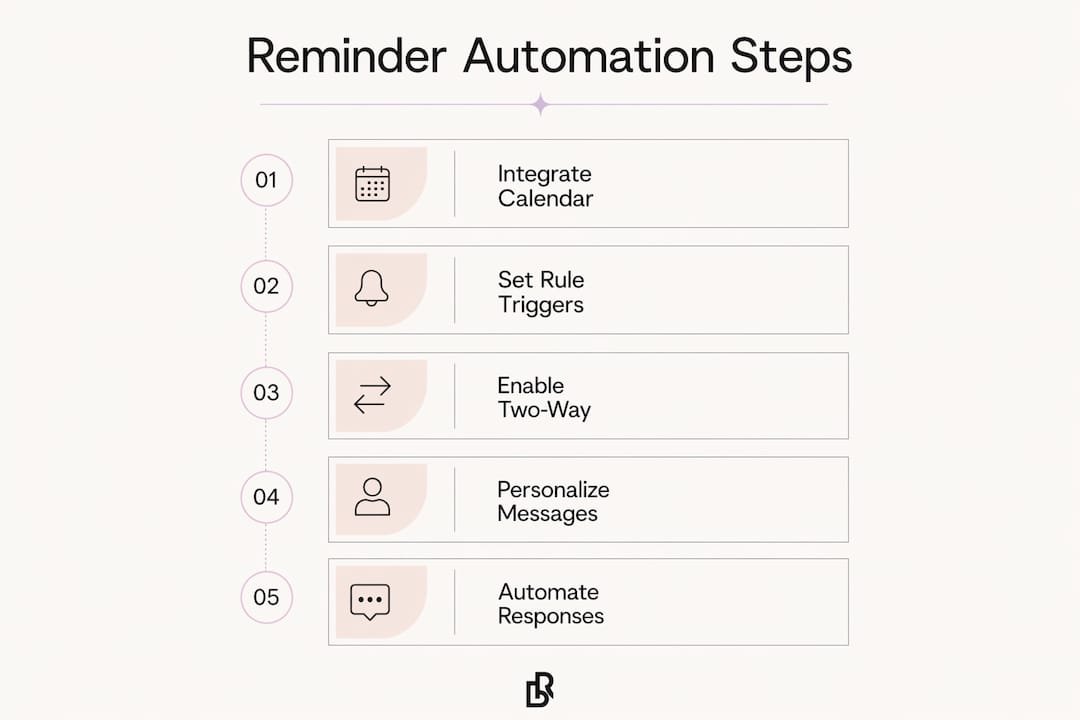
The most effective reminder sequence uses two messages, not one. Send the first reminder three days before the appointment and the second 24 hours prior. This timing gives clients enough notice to reschedule if needed while keeping the appointment top of mind the day before.
The 72-hour message should confirm the basics and invite action. A strong template looks like this:
The 24-hour message is shorter. Its job is to reduce same-day no-shows, not to re-explain the appointment. Keep it to two or three lines. Restate the time, remind them where you are, and include the same reply keywords.
Personalized messages that include the client’s name, service, and appointment time consistently outperform generic blasts. Clients feel recognized rather than processed. That perception of reliability builds trust over time.
Some beauty professionals add a third message on the morning of the appointment. This works well for high-value services like full-set lashes or color corrections where a no-show costs significant time and product. For shorter services, two messages are enough.
Pro Tip: Always include explicit reply instructions in every message. “Reply C to confirm” removes all ambiguity and gives your automation system a clean keyword to parse. Vague messages produce vague responses, and vague responses require manual follow-up.
The real power of appointment reminder automation is not the outgoing message. It is what happens when the client replies. Two-way automated systems update the calendar in real time based on SMS replies, with no staff input required. That is the difference between a notification tool and an operational system.
Here is how a well-built response workflow runs:
Automation workflows must include separate rules for late cancellations within 24 hours and early cancellations. A cancellation at 48 hours gives you time to fill the slot organically. A cancellation at 6 hours requires an immediate waitlist blast. These are different situations and your rules should treat them differently.
Pro Tip: Build your message templates around three keywords: “confirm,” “cancel,” and “reschedule.” When your system is trained to parse those exact words, it acts instantly and accurately. Clients learn the pattern quickly, and your error rate drops to near zero.
The beauty of two-way reminders as a conversion engine is that every client response feeds the next action. Confirmations lock in revenue. Cancellations trigger rebooking. The schedule stays as full as possible without you monitoring a phone.
Most reminder systems underperform for one specific reason: staff are still involved somewhere in the process. If any step requires manual triggering or processing, the system is not fully automated and the efficiency gains shrink fast. True automation runs from booking confirmation to post-appointment rebooking prompt without a human in the loop.
“Automation succeeds best when it focuses not just on sending reminders but on intelligently handling client responses to keep the schedule full and minimize late cancellations. The goal is a system that acts, not just one that notifies.”
Common pitfalls and how to address them:
Defining clear workflows for late cancellation handling and waitlist management is what separates a functional system from a great one. Write out every scenario before you configure your rules. What happens if a client cancels at 2 AM? What happens if two waitlist clients confirm at the same time? Answer those questions in your workflow before they happen in real life.
Automated appointment reminders reduce no-shows by 30%-50% when built on live calendar sync, two-way messaging, and rule-based triggers that handle every client response without staff involvement.
| Point | Details |
|---|---|
| Two-touch reminder sequence | Send the first message 3 days out and the second 24 hours before for maximum attendance. |
| Two-way messaging is non-negotiable | Clients must be able to confirm, cancel, or reschedule via reply for full automation to work. |
| Avoid manual steps | Any step requiring staff action breaks the automation and limits efficiency gains. |
| Personalization improves results | Including the client’s name, service, and time makes automated messages feel attentive, not robotic. |
| Waitlist rules fill gaps fast | Separate cancellation workflows for early and late cancellations keep your schedule as full as possible. |
Most beauty professionals I have worked with set up reminders and then stop there. They configure the outgoing messages, test them once, and consider the job done. That is a reasonable starting point, but it leaves the most valuable part of the system untouched.
The real shift happens when you treat every client reply as a trigger, not just a response. A cancellation is not a loss. It is an instruction to your system to open the slot and reach out to the next person on your waitlist. A confirmation is not just a reassurance. It is data that tells you this client is reliable and worth prioritizing for rebooking outreach.
What I have also seen is that personalization makes a bigger difference than most people expect. A message that says “Hi Maya, your full-set lash appointment with Jess is tomorrow at 11 AM” lands differently than “Your appointment is confirmed.” The first one feels like a business that knows you. The second one feels like a ticketing system. Clients notice that difference, even if they never say so out loud.
The professionals who get the most out of automated scheduling reminders are the ones who revisit their workflows every quarter. They look at their attendance data, check which messages get replies, and adjust timing or wording based on what they see. Automation is not a set-it-and-forget-it tool. It is a system you tune over time, and the tuning is where the real gains live.
, Luis
Independent beauty professionals spend too much time chasing confirmations. Bkrdy was built to fix that. Every Bkrdy booking website includes automated SMS and email reminders, live calendar sync, and a smart waitlist that fills open slots the moment a cancellation comes in.
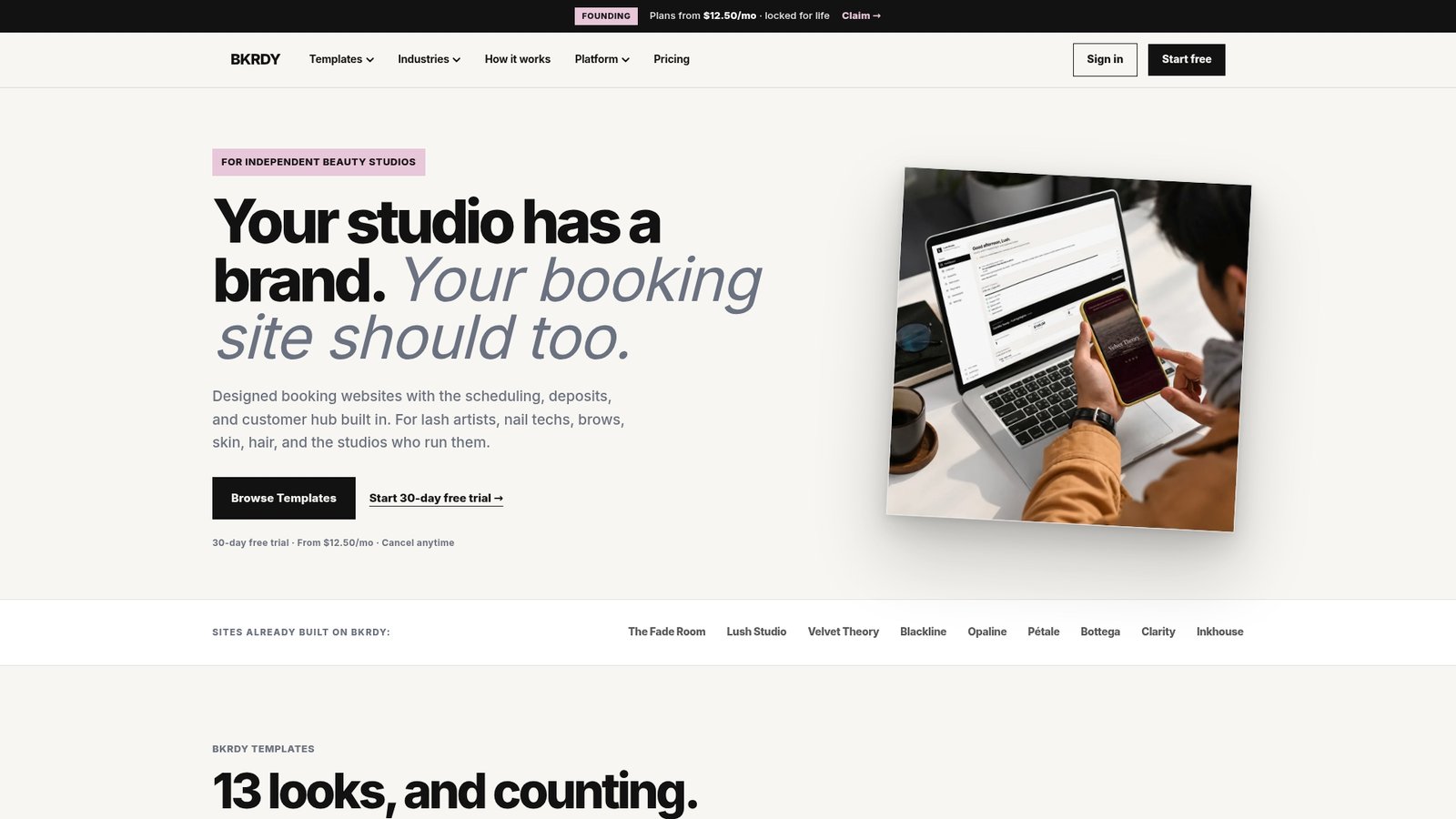
Whether you are a lash artist, a nail tech, or running a full-service salon, Bkrdy gives you a branded booking page that handles client communication from the first booking to the post-visit rebooking prompt. Setup takes minutes, not weeks. No design experience needed. The reminders run from day one.
An automated appointment reminder system is software that sends scheduled messages to clients before their bookings without manual staff action. It connects to your calendar and fires SMS or email reminders based on rules you define once.
Automated reminders reduce no-show rates by 30%-50%, which protects a significant portion of revenue that would otherwise be lost to missed appointments.
The most effective sequence sends the first reminder three days before the appointment and the second 24 hours prior. This gives clients time to reschedule while keeping the booking top of mind.
Two-way systems work best when clients reply, but they also handle non-responses. If a client does not reply, the system can flag the appointment as unconfirmed and send a final nudge on the morning of the visit.
Use personalization tokens in every message template. Including the client’s name, service type, and appointment time makes automated notifications feel attentive rather than generic, which improves client satisfaction and trust.
BKRDY
Pick a template, take deposits, and let clients book on your own branded site. 30-day free trial.
Start your 30-day trial